
What Is Digital Tooling? Why CNC Shops Need Custom Software
Digital Tooling means custom software that automates your manufacturing workflow — parametric templates, G-code generators, and browser-based tools that eliminate repeat CAD work. Focus Keywords: digital tooling, CNC automation, manufacturing software
# What Is Digital Tooling?
And Why Your CNC Shop Needs It
## You Already Know the Problem
Your shop makes a product that comes in 14 sizes. Every time an order comes in, someone opens a CAD file, changes dimensions, re-exports the DXF, re-nests the parts on a sheet, re-generates the G-code, and recalculates the quote. It takes 45 minutes. The design is essentially the same — just different numbers.
Or maybe you run a fabrication shop. A customer sends you a DXF. You import it into your CAM software, set up toolpaths, choose entry points, configure lead-ins, generate G-code. You've done this exact process 800 times. The only things that change are the file and the material thickness.
These aren't engineering problems. They're automation problems. And the solution is what we call Digital Tooling.
## Digital Tooling, Defined
Digital Tooling is custom software built around your specific manufacturing workflow. It's the digital equivalent of a jig or fixture — something purpose-built to make a repeated process faster, more accurate, and less dependent on skilled labor for routine tasks.
It includes things like:
- Parametric templates that regenerate drawings, cutlists, and nesting layouts when you change a single dimension
- Automated G-code pipelines that take a DXF and output machine-ready files with the correct feeds, speeds, entry/exit strategies, and kerf compensation for your specific machine
- Browser-based configurators that let your team (or your customers) specify product options without touching CAD software
- Custom post-processors tuned to your exact CNC machine, material library, and cutting preferences
It's not generic software you buy off the shelf. It's built for your workflow, your machines, your products.
## Why Off-the-Shelf Software Falls Short
There's no shortage of CAD and CAM software. So why would you need something custom?
Generic tools solve generic problems. Your workflow isn't generic. You have specific machines with specific quirks. You cut specific materials at specific thicknesses. Your products have specific options and configurations. Off-the-shelf software makes you adapt your process to the tool. Digital Tooling adapts the tool to your process.
Licensing costs add up. Every person who needs to interact with a design file needs a software license. Your designer, your estimator, your machinist, maybe your customer. At $2,000–$5,000 per seat per year, that's a significant overhead — especially for small and mid-size shops. A browser-based tool built for your workflow costs a fraction and gives access to everyone who needs it.
Manual steps introduce errors. Every time a human re-enters a dimension, re-exports a file, or re-configures a toolpath, there's a chance for error. Automation removes those touchpoints. The parametric template doesn't forget to update the cutlist when the door width changes.
## Real Examples
These aren't hypothetical. These are the kinds of Digital Tooling projects we build at Design Studio IMBALANCED:
Made-to-Order Products
A company sells cellar trap doors in custom sizes. Instead of re-drawing every order, we built a parametric system: enter the opening dimensions, and it generates the complete drawing set, DXF cutting patterns, hardware list, and assembly instructions automatically. What took 2 hours now takes 2 minutes.
CNC Shop Automation
A fabrication shop processes 30+ DXF files per day. We built a pipeline that imports the DXF, applies material-specific CAM parameters (feed rate, kerf, lead-in style), nests parts on standard sheet sizes, and outputs G-code ready for their specific plasma table. The operator loads files and hits go.
Product Configurators
A furniture manufacturer offers tables in 12 sizes, 4 wood species, and 3 edge profiles. Instead of maintaining 144 separate drawing files, we built a browser-based configurator. Sales staff select options from dropdowns, preview the result, and download production-ready files — no CAD license needed.
## How We Know This Works
We didn't just start offering Digital Tooling as a service. We built an entire platform to prove it works.
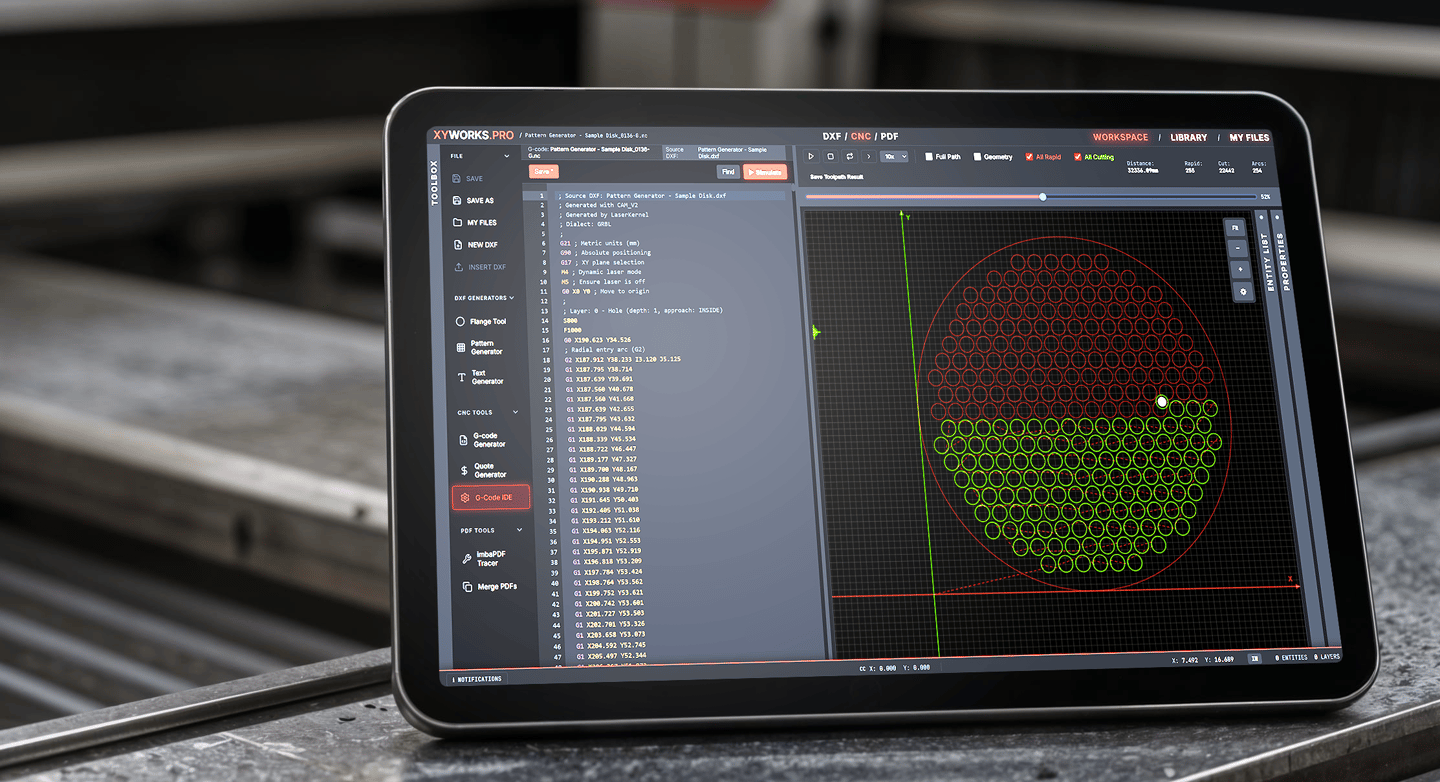
XYWORKS.PRO is our browser-based CAD/CAM platform, built from scratch. It handles DXF editing, CAM setup, G-code generation with live toolpath simulation, automated nesting, job tracking, and shop management — all in a web browser. Free tier available.
If we can build a complete CAD/CAM platform, we can build the specific automation your shop needs.
## Who Should Be Thinking About This?
- CNC and fabrication shops spending too much time on repetitive CAM setup
- Product companies with many variants (sizes, materials, configurations) that require manual re-drawing
- Manufacturers paying for CAD licenses that only get used for routine modifications
- Shops growing beyond 2-3 people where tribal knowledge becomes a bottleneck
## What It Costs
Digital Tooling projects vary based on scope, but here's a rough guide:
- Parametric template for a single product family: ballpark $2,000–$5,000
- Automated G-code pipeline for your machine: ballpark $5,000–$15,000
- Browser-based configurator for your product line: ballpark $10,000–$30,000
- Full custom platform: $30,000+
The ROI calculation is straightforward: How many hours per week does your team spend on repetitive CAD/CAM work? Multiply by their hourly rate. That's your annual waste. Most Digital Tooling projects pay for themselves within months.
## Get Started
Describe your current workflow and where the bottlenecks are. We'll tell you what can be automated, what it would take, and what the ROI looks like.
→ Contact Design Studio IMBALANCED
→ See our Digital Tooling page
Design Studio IMBALANCED specializes in product design, manufacturing engineering, and custom Digital Tooling. We're the team behind XYWORKS.PRO